

Common Issues with Stage Monitor Speakers and Effective Solutions
Common Issues with Stage Monitor Speakers and Effective Solutions Introduction to Stage Monitor Speakers Stage monitor speakers play a pivotal role in live performances, providing artists with real-time audio feedback. These speakers are crucial for musicians and performers to hear themselves and ensure that the overall sound mix is balanced. However, just like any audio equipment, stage monitor
Feb 19,2026
Common Issues with Stage Monitor Speakers and Effective Solutions
Introduction to Stage Monitor Speakers
Stage monitor speakers play a pivotal role in live performances, providing artists with real-time audio feedback. These speakers are crucial for musicians and performers to hear themselves and ensure that the overall sound mix is balanced. However, just like any audio equipment, stage monitor speakers can encounter various issues. In this article, we will delve into the common problems faced with these speakers and provide detailed solutions to help you maintain an excellent audio experience.
Table of Contents
- Common Sound Issues with Stage Monitor Speakers
- Connection Issues with Stage Monitor Speakers
- Understanding Feedback and How to Reduce It
- Placement and Its Impact on Sound Quality
- Overcoming Volume and Power Issues
- Maintaining Your Stage Monitor Speakers
- When to Consider Upgrading Your Monitor Speakers
- Conclusion
- Frequently Asked Questions
Common Sound Issues with Stage Monitor Speakers
Sound quality is paramount when performing, and several issues can affect this significantly. The most common sound problems include muddiness, distortion, and lack of clarity.
Muddiness in Sound
Muddiness often occurs when the frequencies are not well-balanced. This can result from poor mixing or inadequate EQ settings on the mixer.
Solution for Muddiness
To resolve this issue, adjust the equalization (EQ) settings on your mixer. Here are some steps:
1. **Reduce low frequencies**: Many stage monitor speakers struggle with excessive bass. Cutting back on the low frequencies (below 80 Hz) can help.
2. **Enhance mid frequencies**: Boosting the mid-range frequencies (around 1 kHz to 3 kHz) can add clarity.
3. **Use High-Pass Filters**: Implementing high-pass filters can eliminate unnecessary low-end noise, allowing the sound to become clearer.
Distortion Problems
Distortion can occur due to overdriving the speakers, which often happens when the volume levels are turned up too high.
Solution for Distortion
To prevent distortion:
1. **Monitor Volume Levels**: Always ensure that the sound levels on your mixer are set appropriately and avoid pushing the speakers to their limits.
2. **Check Speaker Specifications**: Make sure that the speakers are rated for the power being sent to them.
3. **Use Compression**: Applying compression can help manage peaks in sound, reducing the likelihood of distortion.
Connection Issues with Stage Monitor Speakers
Connection issues can be a significant headache during performances. These problems often result in a loss of sound or inconsistent audio quality.
Wired Connection Problems
Cables can wear out or become damaged over time, leading to intermittent sound or complete loss of audio.
Solution for Wired Connection Problems
1. **Inspect Cables Regularly**: Check cables for wear and replace any damaged ones immediately.
2. **Use Quality Cables**: Investing in high-quality cables can prevent connection issues in the long run.
3. **Secure Connections**: Ensure that all connections are tight and secure to avoid any disruptions.
Wireless Connection Problems
Wireless connections offer convenience but can introduce issues like interference from other devices.
Solution for Wireless Connection Problems
1. **Scan for Interference**: Use tools to scan for interference from other wireless devices and select the best frequency for your wireless system.
2. **Maintain Line of Sight**: Ensure there is a clear line of sight between the transmitter and receiver to minimize signal loss.
3. **Regularly Update Firmware**: Keeping the firmware of your wireless devices updated can help eliminate connectivity issues.
Understanding Feedback and How to Reduce It
Feedback is a common issue faced in live sound settings, often resulting in an annoying high-pitched squeal.
What Causes Feedback?
Feedback occurs when sound from the monitor speaker is picked up by the microphone and re-amplified.
Solution for Reducing Feedback
1. **Adjust Mic Placement**: Position microphones away from monitor speakers to minimize feedback.
2. **Use EQ to Cut Problem Frequencies**: Identify and reduce the problematic frequencies that cause feedback using the mixer’s EQ.
3. **Lower Monitor Volume**: Reducing the volume of the monitor speaker can also help prevent feedback.
Placement and Its Impact on Sound Quality
The placement of stage monitor speakers plays a crucial role in their effectiveness.
Best Practices for Speaker Placement
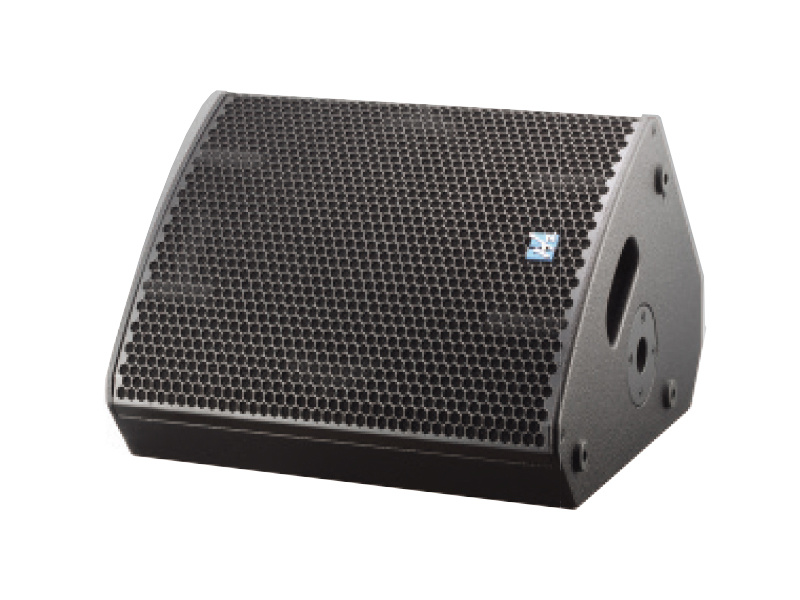
1. **Angle the Monitors**: Position the speakers at an angle towards the performer to ensure the sound reaches them directly.
2. **Height Considerations**: Keep the speakers at ear level for the best sound projection.
3. **Avoid Obstacles**: Ensure that there are no obstacles between the speaker and the performer to maintain sound clarity.
Overcoming Volume and Power Issues
Volume and power issues can significantly impact the performance quality.
Volume Imbalance
Sometimes, monitors may not provide enough volume for performers.
Solution for Volume Imbalance
1. **Check Mixer Settings**: Ensure that the monitor mix is appropriately balanced.
2. **Consider Additional Power**: If volume issues persist, consider using a dedicated amplifier to boost the signal to the monitors.
Maintaining Your Stage Monitor Speakers
Regular maintenance is essential to keep stage monitor speakers in optimal condition.
Routine Maintenance Tips
1. **Clean Speakers Regularly**: Dust and debris can accumulate and affect sound quality. Regularly clean the speakers with a soft cloth.
2. **Check for Loose Components**: Inspect the speakers for any loose screws or connections and tighten them as needed.
3. **Store Properly**: When not in use, store the speakers in a dry, cool place to prevent damage.
When to Consider Upgrading Your Monitor Speakers
Sometimes, despite troubleshooting, the speakers may not deliver the desired performance.
Signs You Need an Upgrade
1. **Persistent Sound Issues**: If you continue to experience problems despite following maintenance and adjustment tips.
2. **Outdated Technology**: Advances in audio technology can mean that older models may not meet current performance standards.
3. **Increased Demand**: If your performances have increased in size or complexity, upgrading your speakers can enhance the overall experience.
Conclusion
Stage monitor speakers are vital for any live performance, providing the necessary audio feedback to ensure a successful show. By recognizing common issues such as sound quality problems, connection difficulties, and feedback challenges, and applying the solutions outlined in this article, performers can significantly enhance their audio experience. Regular maintenance and timely upgrades will further ensure that your stage monitor speakers continue to deliver optimal performance.
Frequently Asked Questions
**1. What are the most common problems with stage monitor speakers?**
The most common problems include sound quality issues, connection difficulties, and feedback.
**2. How can I prevent feedback from my stage monitor speakers?**
Adjusting mic placement, using EQ to cut problematic frequencies, and lowering monitor volume can help reduce feedback.
**3. What should I do if my monitor speakers are not loud enough?**
Check your mixer settings, ensure that the monitor mix is balanced, and consider using a dedicated amplifier if necessary.
**4. How often should I maintain my stage monitor speakers?**
Regular maintenance, including cleaning and inspecting connections, should be performed before each performance.
**5. When should I consider upgrading my monitor speakers?**
If you experience persistent sound issues, are using outdated technology, or have increased performance demands, it may be time to consider an upgrade.

CONTACT
Hzaudio Office Address: 16 st joins ave, mont Albert, Vic 3127, Australia
Hzaudio Lab Address: No. 455, Fuyi Road, Dalong Street, Panyu District, Guangzhou, China
Tel: +86 20-34882578 Cell:+86 18620144731
E-mail: sale@hzaudio.com
Follow Us On Wechat!