
Live Sound Speakers: A Comprehensive Guide to Connectivity Options
Live Sound Speakers: A Comprehensive Guide to Connectivity Options When it comes to live sound reinforcement, **speakers** play a pivotal role in delivering audio that captivates audiences. The **connectivity options** available for these speakers can significantly influence the overall sound quality and performance. In this article, we will explore the various connectivity methods, their advantag
Jun 05,2026
Live Sound Speakers: A Comprehensive Guide to Connectivity Options
When it comes to live sound reinforcement, **speakers** play a pivotal role in delivering audio that captivates audiences. The **connectivity options** available for these speakers can significantly influence the overall sound quality and performance. In this article, we will explore the various connectivity methods, their advantages, and how to choose the best option for your needs.
Understanding Live Sound Speakers
Live sound speakers are designed to reproduce sound in real-time, making them essential for concerts, events, and presentations. They come in various types, including **active speakers**, which have built-in amplifiers, and **passive speakers**, which require external amplification. Whether you are a musician, a DJ, or an event organizer, understanding how to connect your speakers effectively is crucial for achieving optimal sound.
Types of Live Sound Speakers
Before diving into connectivity options, it's important to understand the types of live sound speakers available:
Active Speakers
Active speakers have integrated amplifiers, making them easy to set up and use. They often come with built-in equalizers and processing features, allowing for adjustments to sound directly on the device.
Passive Speakers
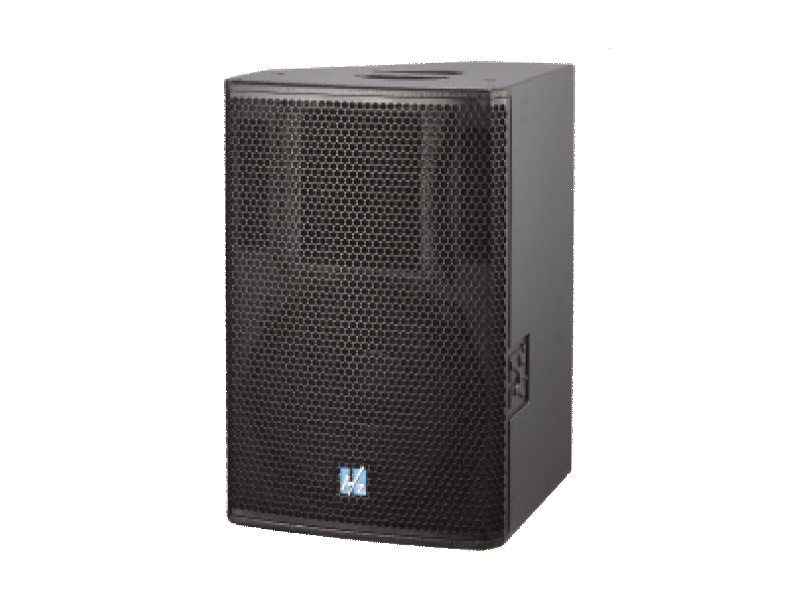
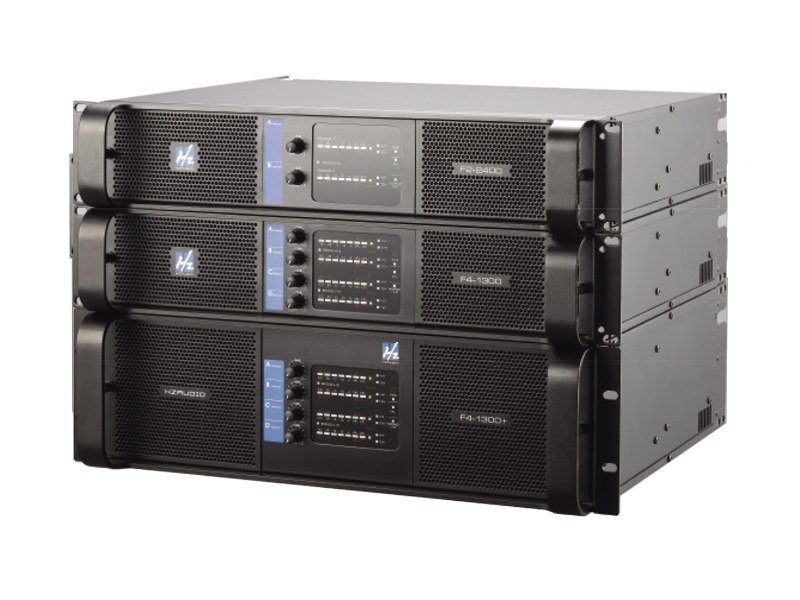
Passive speakers do not have built-in amplifiers, requiring an external amplifier to power them. This setup provides flexibility in choosing amplification and can often yield better sound quality for large venues.
Subwoofers
Subwoofers are specialized speakers designed to reproduce low-frequency sounds. They are essential for genres like electronic dance music (EDM) and hip-hop, where bass response is critical.
The Importance of Connectivity in Live Sound Systems
Connectivity options determine how your live sound speakers interact with other components of your sound system. The right connections can enhance audio quality, reduce latency, and ensure seamless integration. Below are the most common connectivity options used in live sound systems.
Wired Connectivity Options
Wired connections are a reliable choice for live sound speakers, providing a stable signal and high-quality audio. Here are the primary wired connectivity options available:
XLR Connections
**XLR connections** are the standard for professional audio equipment. They provide a balanced signal that minimizes noise and interference over long distances. Typically used for microphones and mixers, XLR cables ensure high-quality audio transfer to your speakers.
1/4-Inch TRS and TS Connections
**1/4-inch connectors** come in two varieties: TRS (Tip-Ring-Sleeve) and TS (Tip-Sleeve). TRS connections are balanced and suitable for connecting to mixers and audio interfaces, while TS connections are unbalanced and often used for instruments like electric guitars.
**Speakon connectors** are specifically designed for connecting loudspeakers to amplifiers. They provide a secure and robust connection, preventing accidental disconnections during performances. Their design also ensures that high power levels can be safely transmitted without overheating.
Wireless Connectivity Options
Wireless connectivity options have gained popularity due to their convenience and flexibility in live sound setups. Here are some key wireless options:
Bluetooth Connectivity
Bluetooth technology allows for easy pairing with devices like smartphones and tablets. While it offers convenience, it may introduce slight latency, which is a critical consideration for live performances. Bluetooth is best suited for casual listening or smaller events rather than professional setups.
Wi-Fi Streaming
Some modern live sound speakers offer Wi-Fi streaming capabilities, allowing for high-quality audio transfer without the need for physical cables. This method can support multiple audio sources simultaneously, making it ideal for larger events.
Wireless Microphone Systems
Wireless microphone systems are essential for performers who require freedom of movement. These systems use radio frequencies to transmit audio signals from the microphone to the mixer, allowing for a cleaner stage setup without trailing cables.
Evaluating Connectivity Options for Your Needs
When selecting connectivity options for your live sound speakers, consider the following factors:
Venue Size and Type
The size and type of venue will heavily influence your connectivity choices. Larger venues often require more robust wired connections to ensure consistent audio quality. In contrast, smaller venues may benefit from the convenience of wireless options.
Type of Event
Consider the nature of your event. For professional performances, like concerts or theater productions, reliability and audio quality are paramount. In these cases, prioritize wired connections. For casual events, like parties or presentations, wireless options may suffice.
Equipment Compatibility
Ensure that your speakers are compatible with your existing audio equipment. Check for the appropriate connectors and cables needed for a seamless connection. Adapters may also be necessary when mixing various audio sources.
Best Practices for Connecting Live Sound Speakers
Successfully connecting your live sound speakers requires following best practices to optimize performance and minimize technical issues.
Proper Cable Management
Keep cables organized to prevent tripping hazards and confusion during setup. Use cable ties or clips to secure and label cables, ensuring easy identification during events.
Testing Connections Before Events
Before any event, conduct a thorough soundcheck to test all connections. This step helps identify any issues and allows for last-minute adjustments to achieve the best sound quality.
Monitoring Audio Levels
Maintain optimal audio levels to prevent distortion and ensure clarity. Use mixers and equalizers to adjust levels as needed, and monitor sound throughout the event.
Conclusion
Choosing the right connectivity options for live sound speakers is essential for delivering high-quality audio experiences. By understanding the various wired and wireless options, evaluating your venue and event type, and following best practices for setup, you can ensure that your live sound system performs optimally. Investing time in selecting the best connectivity solutions will enhance your audio experience and leave a lasting impression on your audience.
Frequently Asked Questions (FAQs)
1. What is the difference between active and passive speakers?
Active speakers have built-in amplifiers, while passive speakers require external amplification. Active speakers are easier to set up, while passive speakers offer more customization options.
2. Are wireless connections reliable for live performances?
Wireless connections can be reliable, but they may introduce latency and are susceptible to interference. For critical performances, wired connections are often recommended.
3. What type of cable is best for connecting speakers?
XLR cables are the standard for professional audio connections due to their balanced signal and minimal interference. Speakon connectors are preferred for connecting speakers to amplifiers.
4. How can I minimize audio latency when using wireless connections?
Choose high-quality wireless systems designed for low latency. Additionally, position receivers and transmitters to minimize interference and signal loss.
5. What should I do if my speakers aren't producing sound?
Check all connections, including power sources, cables, and mixers. Ensure the speakers are powered on and the audio levels are set appropriately. If issues persist, consult the manufacturer's guidelines for troubleshooting.
By understanding the intricacies of connectivity options, you can make informed decisions that enhance your live sound experience, ensuring that every event is a resounding success.

CONTACT
Hzaudio Office Address: 16 st joins ave, mont Albert, Vic 3127, Australia
Hzaudio Lab Address: No. 455, Fuyi Road, Dalong Street, Panyu District, Guangzhou, China
Tel: +86 20-34882578 Cell:+86 18620144731
E-mail: sale@hzaudio.com
Follow Us On Wechat!