
How to Seamlessly Integrate Live Sound Speakers with Other Audio Equipment
How to Seamlessly Integrate Live Sound Speakers with Other Audio Equipment Table of Contents Introduction to Live Sound Integration Understanding Audio Signal Flow Key Components of Audio Systems Choosing the Right Live Sound Speakers Matching Impedance and Power Connecting Mixing Consoles to Speakers Incorporating Effects Processors and Other Gear Troubleshooting
Jul 03,2026
How to Seamlessly Integrate Live Sound Speakers with Other Audio Equipment
Table of Contents
- Introduction to Live Sound Integration
- Understanding Audio Signal Flow
- Key Components of Audio Systems
- Choosing the Right Live Sound Speakers
- Matching Impedance and Power
- Connecting Mixing Consoles to Speakers
- Incorporating Effects Processors and Other Gear
- Troubleshooting Common Integration Issues
- Maintaining and Upgrading Your Audio System
- Conclusion
- FAQs About Live Sound Integration
Introduction to Live Sound Integration
In the realm of **professional audio**, the integration of live sound speakers with other audio equipment is crucial for achieving optimal sound quality and performance. Whether you're setting up for a concert, a corporate event, or a personal project, understanding the nuances of audio integration can transform your sound experience. This guide will serve as a detailed roadmap to help you navigate through the complexities of live sound systems.
Understanding Audio Signal Flow
Before diving into the integration process, it's essential to grasp the concept of **audio signal flow**. The audio signal flow refers to the path that sound takes from its source to the final output—your speakers. Understanding this flow is vital for effective integration and troubleshooting later on.
The Journey of Audio Signals
1. **Sound Source:** This can be a microphone, instrument, or playback device like a laptop or a CD player.
2. **Preamp:** The preamplifier boosts low-level signals from the source.
3. **Mixer:** Here, different audio signals are mixed, adjusted, and prepared for output.
4. **Power Amplifier:** This component increases the signal's power so it can drive the speakers.
5. **Speakers:** Finally, the powered signal is sent to the speakers, converting electrical energy back into sound.
Understanding this flow allows for efficient troubleshooting and ensures that every component in your audio setup works harmoniously.
Key Components of Audio Systems
A well-integrated audio system comprises various components, each playing a specific role. These include:
1. Microphones
Microphones are essential for capturing sound. Choose microphones based on their type (dynamic, condenser, etc.) and their intended use (vocals, instruments).
2. Mixing Consoles
Mixing consoles facilitate the blending of multiple audio sources. Understanding your mixer's features—like EQ, effects, and routing—will enhance your integration process.
3. Signal Processors
These devices manipulate audio signals to achieve desired effects. Common processors include equalizers, compressors, and reverb units.
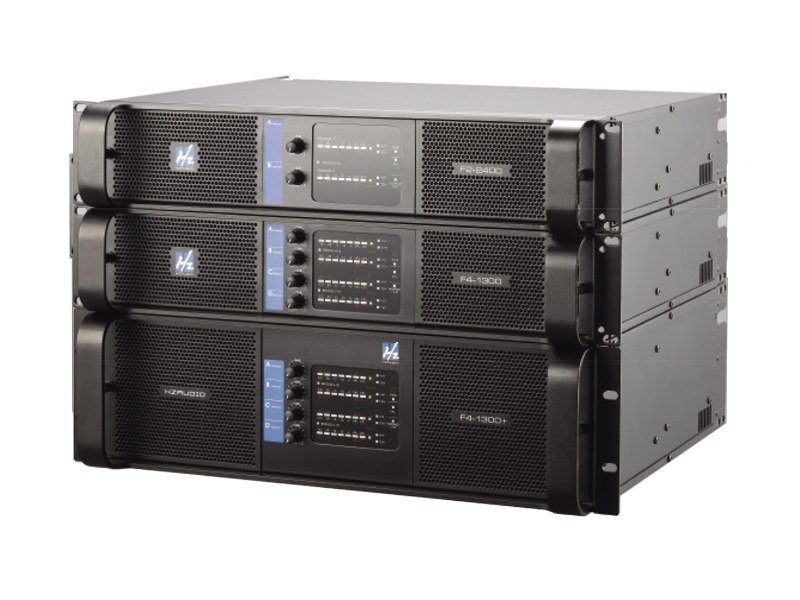
4. Amplifiers
Amplifiers boost your audio signals to drive speakers. Selecting the right amplifier is crucial for compatibility with your speakers' impedance.
5. Cables and Connectors
Quality cables and connectors ensure a clean signal transfer. Use balanced cables for longer runs to minimize interference.
Choosing the Right Live Sound Speakers
Selecting the appropriate live sound speakers is fundamental to your integration success. Consider the following factors:
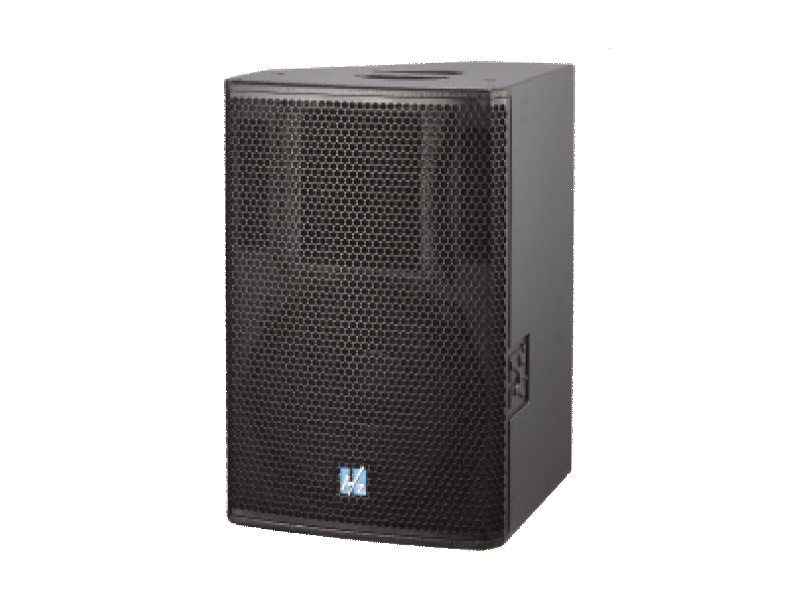
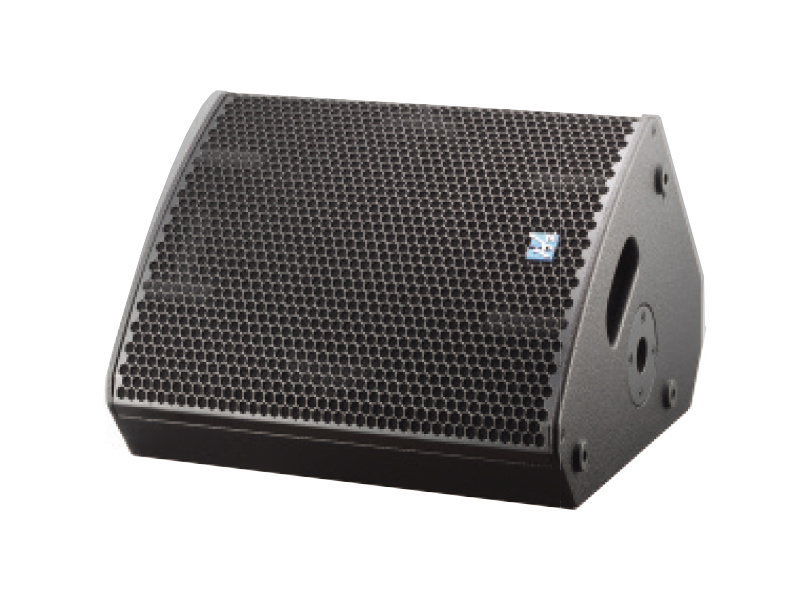
1. Speaker Types
There are two main types of speakers: passive and active. Passive speakers require an external amplifier, while active speakers have built-in amplification.
2. Frequency Range
Different speakers are designed for various frequency ranges. Ensure that the speakers you choose cover the full spectrum of sound you intend to produce.
3. Power Rating
The power rating determines how much power the speaker can handle. Match the speaker's power rating with your amplifier to prevent damage.
4. Portability and Size
Consider the setting where the speakers will be used. For mobile setups, lightweight and portable options are ideal.
Matching Impedance and Power
Matching impedance and power between speakers and amplifiers is crucial for optimal performance. Here's what you need to know:
1. Understanding Impedance
Impedance is measured in ohms and indicates the resistance a speaker presents to the amplifier. Common values are 4, 6, and 8 ohms. Always ensure compatibility between the speaker and amplifier impedance ratings.
2. Calculating Power Needs
Determine the wattage your speakers require and ensure your amplifier can deliver that amount. Overloading can cause distortion or damage.
3. Using a Power Calculator
Utilize online power calculators to assess the power output of your amplifier in relation to your speaker specifications.
Connecting Mixing Consoles to Speakers
With the right equipment chosen, it's time to connect your mixing console to your speakers effectively.
1. Choosing the Right Outputs
Mixing consoles usually feature multiple output options. Use the main outputs for direct connections to your main speakers.
2. Balanced vs. Unbalanced Connections
Whenever possible, opt for balanced connections (XLR or TRS) to reduce noise and interference, especially for long cable runs.
3. Setting Up Speaker Groups
In larger setups, you may want to group speakers to control them collectively, making it easier during live performances.
Incorporating Effects Processors and Other Gear
To enhance sound quality and creativity, consider incorporating effects processors and additional gear into your setup.
1. Types of Effects Processors
Common effects include reverb, delay, and compression. Select processors that complement your audio style and enhance your live sound.
2. Routing Signals Effectively
Understand how to route signals through your mixer to incorporate effects while maintaining the integrity of your original sound.
3. Utilizing Software Solutions
Digital audio workstations (DAWs) and plugins can also enhance your sound. Learn how to integrate software solutions with your hardware setup.
Troubleshooting Common Integration Issues
Even the best setups may encounter issues. Here are some common problems and solutions:
1. No Sound Output
Check all connections, ensure the mixer is powered on, and verify that the correct output channels are selected.
2. Distortion or Feedback
Adjust levels on your mixer, ensure microphones are not too close to speakers, and check for any effects settings causing clipping.
3. Signal Loss
Examine all cables for damage. Using quality connectors and proper cable management can help prevent signal loss.
Maintaining and Upgrading Your Audio System
To ensure longevity and optimal performance, regular maintenance and upgrades are essential.
1. Routine Checks
Regularly inspect and clean your equipment. Dust and debris can affect performance over time.
2. Upgrading Components
Stay current with new technology. Upgrading speakers, mixers, or processors can significantly enhance your audio quality.
3. Seeking Professional Help
If you're unsure about maintenance or upgrades, consider consulting with audio professionals for tailored advice.
Conclusion
Integrating live sound speakers with other audio equipment requires a nuanced understanding of your components, audio signal flow, and the environment in which you're working. By following the outlined steps, troubleshooting common issues, and maintaining your system, you can create a seamless audio experience that captivates your audience. Whether you're at a live event or setting up in your studio, the right integration techniques will ensure that every performance sounds its best.
FAQs About Live Sound Integration
1. What type of speakers are best for live sound?
Active speakers are often preferred for live sound due to their built-in amplification and convenience, but passive speakers can also be great if paired with the right amplifier.
2. How do I ensure my speakers and amplifier are compatible?
Check the impedance and power ratings of both your speakers and amplifier. They should match to avoid damage.
3. Can I use multiple types of speakers in one system?
Yes, but be mindful of the overall impedance load and ensure all components can handle the combined power.
4. Why is balanced cabling important?
Balanced cables reduce noise and interference, especially beneficial in longer runs, providing clearer sound quality.
5. What should I do if I experience feedback during a performance?
To eliminate feedback, adjust microphone placement, lower volume levels, or use notch filters to minimize problematic frequencies.

CONTACT
Hzaudio Office Address: 16 st joins ave, mont Albert, Vic 3127, Australia
Hzaudio Lab Address: No. 455, Fuyi Road, Dalong Street, Panyu District, Guangzhou, China
Tel: +86 20-34882578 Cell:+86 18620144731
E-mail: sale@hzaudio.com
Follow Us On Wechat!