
Active Monitor Speakers: Essential Insights for Beginners
Active Monitor Speakers: Essential Insights for Beginners Table of Contents 1. Understanding Active Monitor Speakers 2. Key Features of Active Monitor Speakers 3. Importance of Room Acoustics 4. Selecting the Right Size and Power 5. Evaluating Connectivity Options 6. Brand Considerations in Active Monitor Speakers 7. Setting Up Your Active Monitor Speakers 8. Commo
Jul 23,2026
Active Monitor Speakers: Essential Insights for Beginners
Table of Contents
- 1. Understanding Active Monitor Speakers
- 2. Key Features of Active Monitor Speakers
- 3. Importance of Room Acoustics
- 4. Selecting the Right Size and Power
- 5. Evaluating Connectivity Options
- 6. Brand Considerations in Active Monitor Speakers
- 7. Setting Up Your Active Monitor Speakers
- 8. Common Mistakes to Avoid as a Beginner
- FAQ Section
1. Understanding Active Monitor Speakers
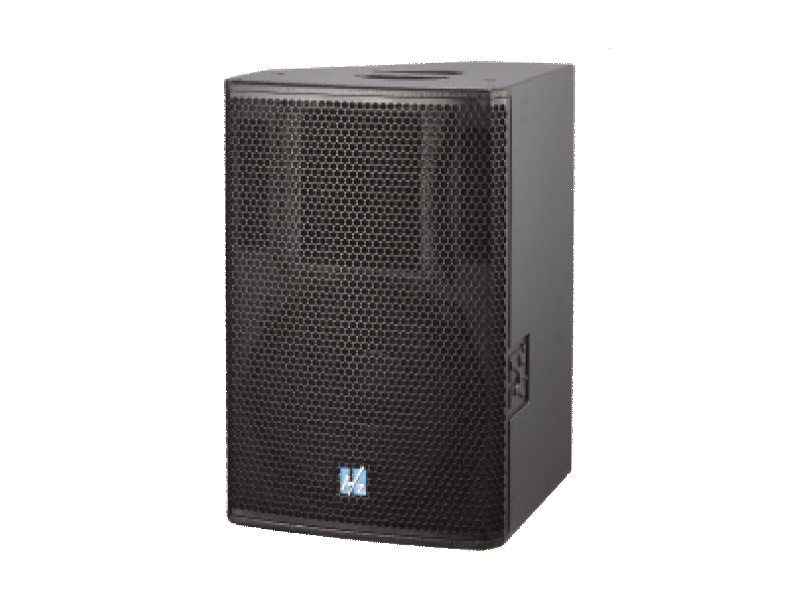
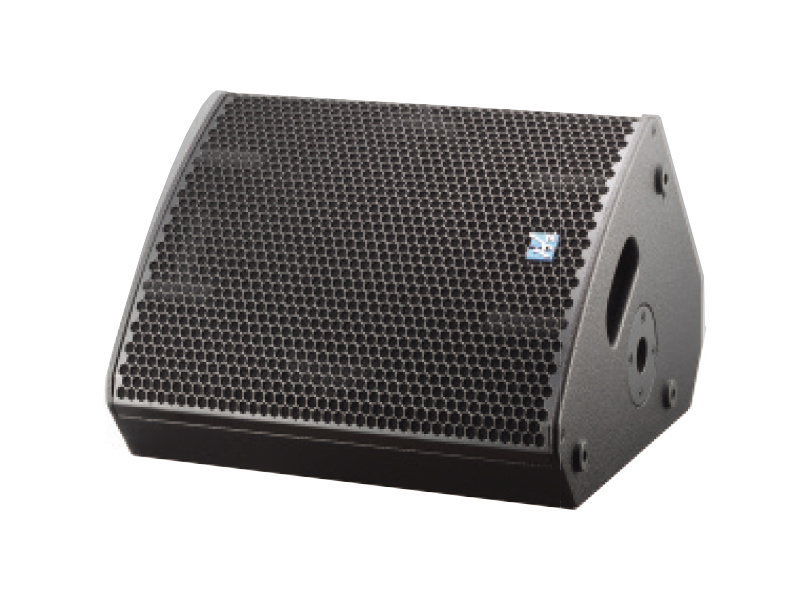
Active monitor speakers are essential tools in the audio industry, designed specifically for accurate sound reproduction. Unlike passive speakers that require an external amplifier, active monitors have built-in amplification, making them ideal for various applications including home studios, music production, and broadcasting. Their primary function is to deliver a true representation of sound, allowing producers and sound engineers to make critical decisions about their audio projects.
2. Key Features of Active Monitor Speakers
When selecting active monitor speakers, there are several key features to consider, each contributing to the overall performance and suitability for your specific needs.
2.1 Frequency Response
The frequency response of a speaker represents its ability to reproduce sound across different frequencies. A wider frequency range allows for better clarity and detail in both low and high-end sounds. For most beginners, a frequency response that spans from 50 Hz to 20 kHz is considered standard.
2.2 Power Handling
Power handling capacity is essential for determining how loud your speakers can go without distortion. Look for monitors with sufficient wattage that matches your usage scenario, especially if you plan on working in larger spaces or need higher volume levels.
2.3 Built-in EQ Settings
Many active monitors come equipped with built-in equalization (EQ) settings, which allow you to tailor the sound output to your room’s acoustics. This feature is particularly beneficial for beginners who may not have extensive knowledge of sound calibration.
2.4 Connectivity Options
Active monitor speakers should provide multiple connectivity options, including XLR, TRS, and RCA inputs. This versatility ensures compatibility with various audio interfaces, mixers, and other equipment.
3. Importance of Room Acoustics
Room acoustics play a significant role in the performance of active monitor speakers. Factors like room size, shape, and surface materials can affect sound quality. Beginners should take the time to analyze their space and consider sound treatment options, such as acoustic panels, to enhance audio clarity.
3.1 Reflection and Absorption
Understanding how sound reflects off walls and floors can help you position your monitors for optimal performance. Avoid placing them too close to walls to minimize bass buildup and ensure a clear soundstage.
3.2 Listening Position
Your listening position is crucial for achieving the best audio experience. Ideally, monitors should be placed in an equilateral triangle formation with your ears. This positioning allows for the most accurate sound reproduction.
4. Selecting the Right Size and Power
Choosing the right size and power of active monitor speakers depends on your specific needs and workspace.
4.1 Speaker Size
Larger speakers generally produce better bass response, while smaller monitors are often more suited for near-field listening. For home studios, 5 to 8-inch woofers are common choices, providing a balance between size and sound quality.
4.2 Power Output
Consider your working environment when selecting power output. For smaller rooms, 50 to 100 watts per speaker is often sufficient, while larger spaces may require monitors with higher wattage capabilities.
5. Evaluating Connectivity Options
An essential aspect of active monitor speakers is their connectivity options. The right connections will ensure seamless integration with your audio interface, computer, or mixer.
5.1 XLR vs. TRS Inputs
Both XLR and TRS inputs are standard for professional audio equipment. XLR connectors provide balanced audio, reducing noise and interference. TRS can also provide balanced connections but are typically used for shorter distances.
5.2 Wireless Connectivity
Some modern active monitors come with Bluetooth or Wi-Fi capabilities, allowing for wireless streaming. While convenient, ensure that these features align with your audio quality expectations.
6. Brand Considerations in Active Monitor Speakers
Selecting a reputable brand can make a significant difference in your audio experience. Research and review feedback on various brands and models.
6.1 Popular Brands
Some popular active monitor speaker brands include Yamaha, KRK, JBL, Mackie, and Adam Audio. Each brand has its own strengths and weaknesses, so consider what features are most important to you.
6.2 Reading Reviews
Take the time to read user reviews and professional evaluations to gain insights into the performance and reliability of specific models.
7. Setting Up Your Active Monitor Speakers
Proper setup is critical to maximizing the performance of your active monitor speakers.
7.1 Positioning the Monitors
As mentioned earlier, the positioning of your monitors is vital. Elevate them to ear level and maintain a distance from walls to minimize acoustic interference.
7.2 Calibration and Testing
After setting up your monitors, spend time calibrating them. Use reference tracks to test various frequencies and adjust settings accordingly. This process ensures that your monitors perform optimally in your specific environment.
8. Common Mistakes to Avoid as a Beginner
Many beginners make avoidable mistakes when setting up their active monitor speakers.
8.1 Ignoring Room Acoustics
Failing to consider room acoustics can lead to a subpar audio experience. Always assess your space and make adjustments as necessary.
8.2 Poor Speaker Placement
Avoid placing your monitors on the floor or too close to walls. Instead, utilize speaker stands to achieve the best soundstage.
8.3 Neglecting to Experiment
Don’t be afraid to experiment with different placements and settings. Each room has unique characteristics, and finding the best setup may take time.
FAQ Section
What are active monitor speakers used for?
Active monitor speakers are primarily used in music production, broadcasting, and sound design, providing accurate sound reproduction for mixing and mastering.
How do I choose the right size of active monitor speakers?
Consider your workspace size and listening distance. Generally, 5 to 8-inch woofers are suitable for home studios.
Do I need an audio interface for active monitor speakers?
While not strictly necessary, an audio interface can enhance sound quality and provide better connectivity options.
Are Bluetooth active monitor speakers a good choice?
Bluetooth monitors offer convenience, but ensure they meet your audio quality requirements, especially for professional use.
How should I position my active monitor speakers?
Position your monitors at ear level and form an equilateral triangle with your listening position to achieve the best sound accuracy.
Conclusion
Choosing the right active monitor speakers is a pivotal step for any beginner looking to enhance their audio experience. By understanding key features, considering room acoustics, and selecting the appropriate size and power, you set the stage for accurate sound reproduction. Avoid common mistakes, and don’t hesitate to experiment with setups to find what works best for your environment. With this comprehensive guide, you're well-equipped to make informed decisions and elevate your audio journey.

CONTACT
Hzaudio Office Address: 16 st joins ave, mont Albert, Vic 3127, Australia
Hzaudio Lab Address: No. 455, Fuyi Road, Dalong Street, Panyu District, Guangzhou, China
Tel: +86 20-34882578 Cell:+86 18620144731
E-mail: sale@hzaudio.com
Follow Us On Wechat!